
The company LOETRONIC develops, manufactures and sells embedded MP3 modules that can be used in many applications in their standard version. In the case of specific customer requests, LOETRONIC offers several options:
Changes/adaptations of the firmware
The customer provides LOETRONIC a functional overview which defines the behavior of the audio module. Based on this information, LOETRONIC creates a customer-specific firmware quickly and cost-effectively. This reprogramming usually takes one to four weeks, depending on the type and scope of the requirements. In time-critical cases, short-term implementation is also possible in two or three days.
Use of additional electronics
If the use of a custom firmware is not sufficient to operate peripherals and additional devices connected to the embedded MP3 modules, there are two possibilities:
- Already developed adapters can be additionally used.
- Alternatively, LOETRONIC develops individual adapters according to customer requirements. A specification or functional overview must be provided for this purpose by the customer. These adaptations are then developed and manufactured by LOETRONIC. This usually takes longer than the simple firmware reprogramming, according to LOETRONICs experience, between three and six weeks.
Development of customer-specific electronics
In recent years, LOETRONIC has increasingly developed custom electronics, mostly on microcontroller basis. In addition to its expertise in the audio sector, LOETRONIC can rely on ever-increasing know-how in the field of interface technology and control electronics and integrate this knowledge into new projects. Here, too, the customer makes available a functional overview. After development (hardware), the prototypes are mostly manufactured and programmed by LOETRONIC (software). Volume manufacturing is also possible, but for this task it’s mostly in the customers responsibility. Programming only of customer’s hardware is also possible.
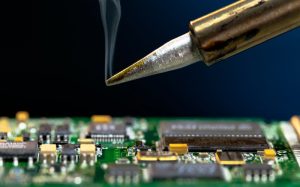
Our range of specific engineering:
- Create electronics schematics and layouts
- Programming Freescale (NXP), Atmel and Microchip microcontrollers in Assembly, C, Python
- Programming Raspberry Pi single-board computers
- Programming Windows software
- Programming Android software
Absolute discretion
All specific adjustments will be treated confidentially. Special manufactured hardware components or the development of specific firmware is never published on this website or other public platforms. Of course, this also applies to corresponding customer data or references.